


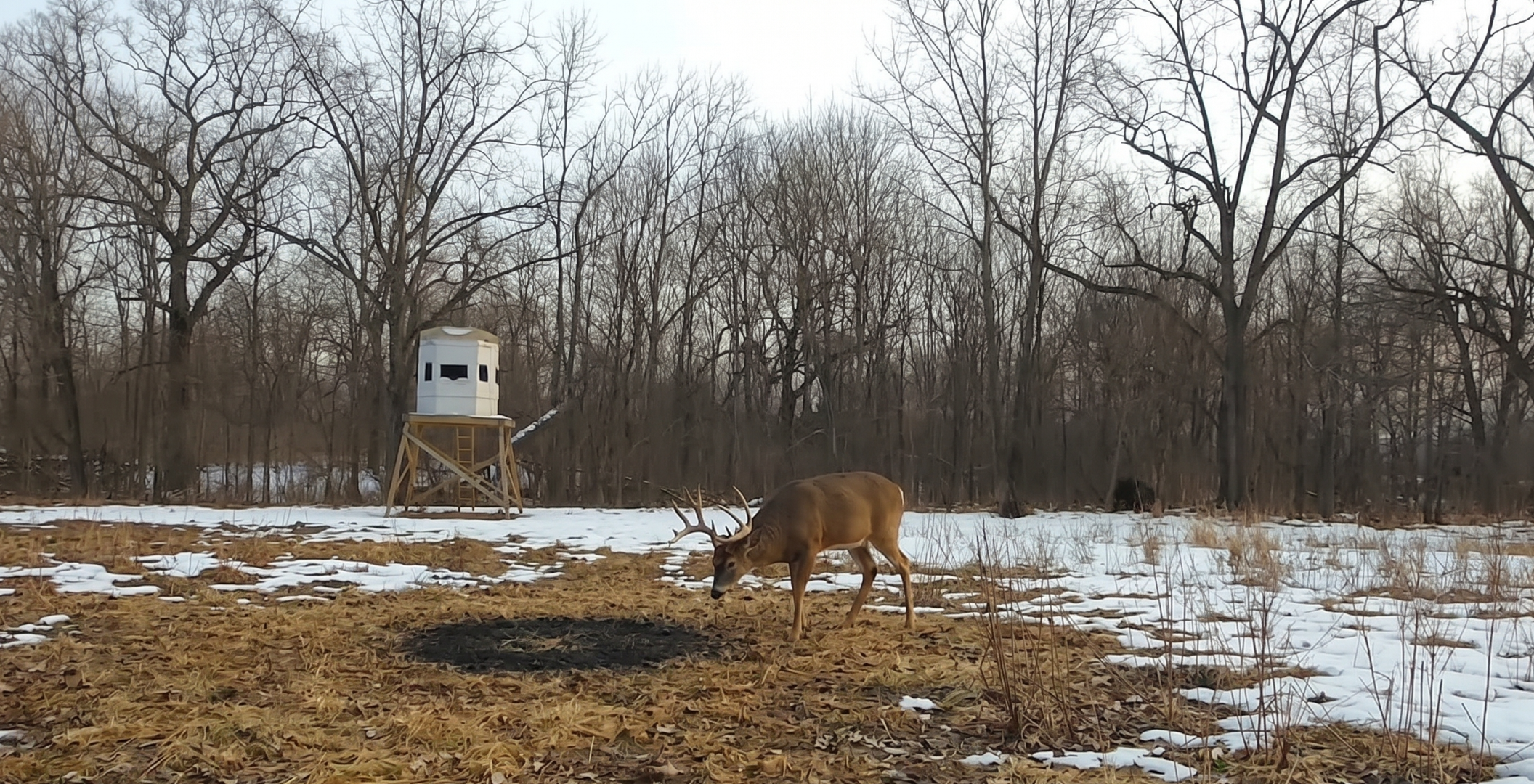
Every booked client asks the same question while they wait: what are you seeing? It comes by text in July, by phone in September, and again the week before they drive out. Answering it means pulling a card, finding the good frames, and sending them to one person at a time — which is why, most seasons, it doesn't get answered at all.
This is about answering it once: what's worth sharing, what should never leave your hands, and how to get the photos to everyone who's booked without giving up an evening to do it.
Why the photos stay on the card
It isn't that outfitters don't want to share. Most would happily show a client the buck that's walked past the same tower every evening since August. The problem is what else the photo shows.
The camera's name is printed across the bottom of every frame. "HESS TOWER." "FLO 70 EAST." To you that's a location. To anyone who has hunted near you, it can be a map. And the file can carry more than the frame does: a trail camera can write its own GPS coordinates into the photo, and a phone picture of a rub line carries the exact spot the guide was standing when they took it. Hand a client the photo and you may have handed them the ground.
So the card stays in the drawer, and the client who booked in February hears nothing until they pull into the driveway in November. That's the real cost. A client who has been watching your ground since the day they booked shows up already invested, and tells the people they hunt with about it. The one who heard nothing wonders whether anybody was paying attention.
What a client actually wants to see
Not the whole card. Nobody wants 300 frames of the same doe, and a client who has to scroll past 280 empty ones to find the buck stops scrolling. What they want is the handful of good frames from the ground they're going to hunt, with a date and a time on them, so they can see what's moving and when.
Pick them the way you'd pick them for a friend. A mature animal in daylight. The same bachelor group three evenings running. The one that made you stop and look twice. Leave the rest where it is.
One thing is worth putting in writing before a client sees a single photo, because their imagination fills it in otherwise: an animal on camera in September is not a promise about November. HuntDocs says it for you. The trail camera section of every client's portal opens with a note that the photos are not a guarantee of what they will see, or have a chance at, on their hunt. Your clients read it first, and you never have to have the conversation.
Share once, not fifty times
Here's how it works in HuntDocs. Open Photo Gallery in the left menu and go to the Trail Camera tab. Click Upload Photos and select the whole card — every photo on it, in one go. They go up in small groups with a running count, and thumbnails appear as each one is prepared.
Then decide what to send. Tick the photos you want, or narrow the view first — by month, by upload, by what hasn't been shared yet — and use Select all in this view. Choose one client or Everyone with a live booking, and click Share.
That last choice is the one that changes the job. "Everyone with a live booking" means every client with a trip on the books that hasn't been cancelled, whether they're hunting next month or fourteen months out. It comes straight from your bookings, so there's no list to build and nothing to keep current. Last season's clients aren't in it. A booking that cancels drops out on its own. Book somebody new tomorrow and the next share includes them.
When the wrong card goes up — it happens — the same filters clean it up. Every upload is its own batch, so you can select an entire card and delete it in one action. At the end of the season, filter to everything before a date, select all, delete. Deleting a photo takes it out of every client portal that had it.
The text that goes out
Sharing is only half of it. A photo sitting in a portal nobody thought to open is the same as a photo still on the card. So when you share, each client gets a text — one text per person per share, never one per photo. Send 200 frames and each client hears from you once.
The message is short and carries your business name, not ours:
[Your business name]: New trail camera photos are in your portal. See them: [link] — Reply STOP to opt out
The link opens that client's own photos with nothing to type — no password, no app, no account to remember. It works standing in a driveway. The link stays good for a year, and an older one tells them their photos are still in their portal and points them to the login.
The text follows the same rules as everything else HuntDocs sends for you. Share at nine at night and the texts wait until a decent hour the next day, in each client's own time zone. A client who has texted STOP isn't texted, though the photos still land in their portal. And you don't stand there watching it go: press Share, and the texts go out on their own.
Then you're told what happened, which is the part most systems leave out. The gallery shows a line like "210 of 214 clients texted. Not texted: 2 with no phone number, 1 who opted out of texts, 1 held until their morning." Anyone the text didn't reach is listed by name with the reason — no mobile number on file, a landline, a number that isn't working — and what to do about it, and a button retries the ones that didn't go through.
Keep your ground to yourself
Now the part that makes any of this safe to do.
The location never leaves. GPS coordinates and the rest of the identifying data are stripped out of every photo the moment it uploads. There's no setting for it and no way to skip it. It applies to a trail camera frame and to a guide's phone picture alike, so the exact spot someone stood is never in the file a client sees.
The camera name can be blacked out. On the Trail Camera tab there's one switch: Hide camera names from clients. Turn it on and the name printed across the bottom of every frame is covered, while the date, time and temperature stay readable — the parts a client actually cares about. It applies to everything you've already shared, not just what you upload next. Turn it off and the names come back. You still see every camera name in your own gallery, because you're the one who needs it.
Clients look; they don't take. Trail camera photos in the portal are view-only. There's no download button, and the portal asks clients not to pass them on.
Access ends on its own. A client's trail camera photos leave their portal 30 days after their hunt. Your gallery keeps every one of them; only the client's view ends. A client who hunted with you three seasons ago isn't still looking at this year's scouting for ground they aren't hunting, and there's nothing for you to remember to switch off.
Put together, it means you can be generous. Send the good frames to everyone who's booked and keep your ground exactly where it is.
Your guides can feed it
The person pulling cards is usually a guide, not the person at the desk. Guides can upload trail camera photos from their own HuntDocs login the same day they check the cameras. Their photos wait in your gallery marked Not yet shared, and you get one notification per upload — "Mike Halvorsen uploaded 40 trail camera photos" — not forty. A guide sees only what they uploaded. You decide what a client sees.
When they take the animal
Sometimes the buck a client watched on camera all summer is the one they take in November. That photo shouldn't expire with the rest. Select it and click Move to Hunt Photos. It stops expiring, becomes downloadable, and stays in the client's hunt photos for good — the first chapter of the story they'll tell about that animal, sitting next to the last.
One rule: private land
Before the first upload, each person on your account accepts the trail camera terms, once. The rule that matters most is simple: private land only. Plenty of states restrict trail camera use on public ground, several restrict it by season, and the rules move. Photos from ground you have the right to share, sent to the clients who booked to hunt it — that's what this is for.
Common questions
Do my clients need a portal login to see the photos?
Not to see them. The link in the text opens that client's photos with nothing to type. The full client portal is one link away from that page and uses their normal login.
What happens if a client has texted STOP?
They aren't texted, and the photos still land in their portal. Your readout lists them by name as opted out, so you know to mention it the next time you talk.
Who counts as "everyone with a live booking"?
Every client with a booking that hasn't been cancelled, however far out the hunt is. Someone booked for next season is in. Someone who hunted last season and hasn't rebooked is not. You can also share with one client at a time.
Can clients download or forward the photos?
Trail camera photos are view-only in the portal, with no download button, and the portal asks clients not to pass them on. Their own hunt photos are different: those they can download, because that's their animal.
Do phone photos count?
Yes. A guide's phone picture of a rub line or a scrape uploads the same way, and the location data in it is stripped the same way.
How long do clients see them?
Until 30 days after their hunt. Your gallery keeps everything.
Trail Camera Photos is part of the Photo Gallery in HuntDocs, booking software for hunting outfitters. The step-by-step walkthrough is under Help > Trail Camera Photos.