

Outfitter booking software that books the whole trip — not just the date.
A hunt booking is a deposit, a contract, a waiver, a balance, and a string of reminders when something doesn't come back. HuntDocs books the trip and carries all of it — built for hunting outfitters.

From inquiry to paid-in-full
Three moves, and the season runs itself.
Build the trip
Dates, price, deposit terms, and the documents that need signing — set up in one pass with the Trip Builder. Booking for a repeat client pulls up the person you already know, not a blank form.
Send one link
The client gets a single link: the invoice, a button to pay the deposit by card or bank transfer, and the papers to sign. No account to create, no app to download.
The booking carries itself
Spots come off the hunt's capacity, reminders go out on your schedule until money and signatures land, and every payment runs through Stripe and posts to the invoice — and to QuickBooks if you use it.
Online booking for hunting trips: from your website or your phone
What the client sees
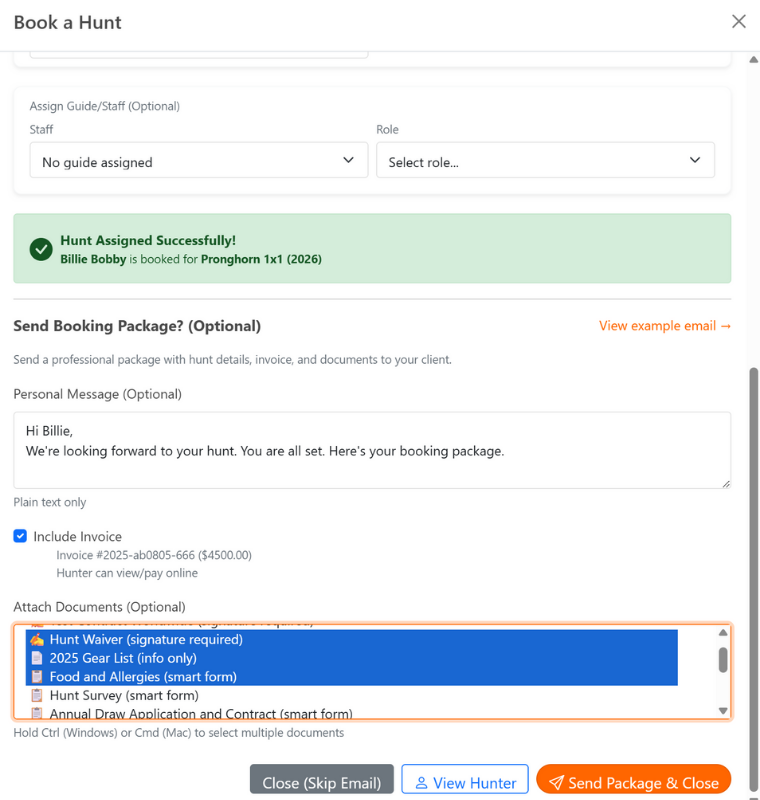
One email: the trip, the invoice, the documents.
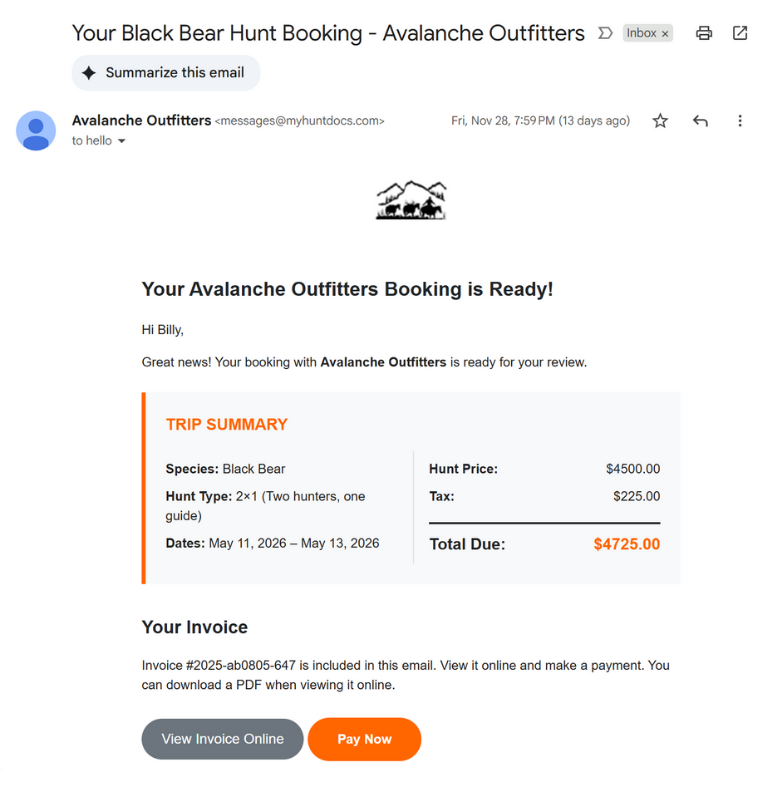
Pay the deposit by card or bank transfer. No login.
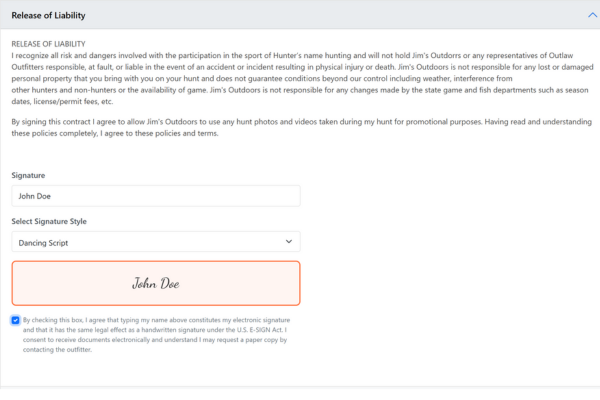
Sign the waiver on a phone.
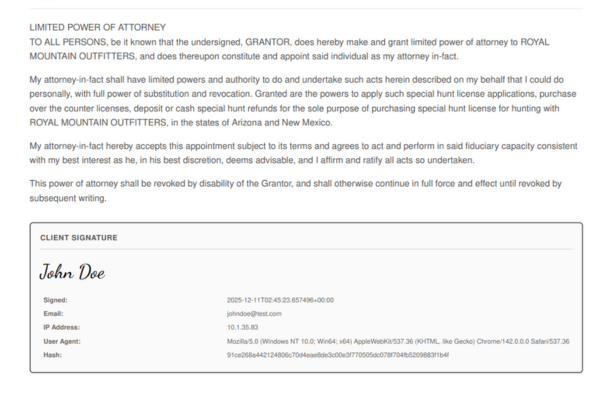
A certificate on every signed document.
Booking software built around how hunts sell
Clients book from your website
Put your trip calendar on your own site. Prospects see which hunts have open spots, pick their dates, and pay online — and the booking lands in HuntDocs with the spot counted and the paperwork started. Prefer to hold the reins? Take the call, build the trip yourself, and send the link instead.
Deposits and balances without the chase
Set the deposit — a flat amount or a percentage — when you build the trip, and the client pays it online by card or bank transfer. The balance sits on the invoice with its due date, and every payment posts the moment it lands.
Reminders that know when to stop
Automatic reminders go out by email or text on a schedule you control — before the due date, on it, and after — and they stop the moment the client pays or signs. They even know when a bank payment is still clearing, so nobody gets chased for money that's already on its way.
Processing fees don't come out of your price
Card and bank-transfer processing fees can quietly eat thousands of dollars a season. HuntDocs has it built in: turn on payment-method fees and the fee is added to the client's payment instead — calculated when they pay and shown plainly beside each way to pay, with card and bank transfer each carrying its own rate. You quote the trip price; you keep the trip price.
Group hunts with one organizer
One person books the whole party. The organizer gets their own link to add each participant, every member gets their own documents to sign, and the money works the way the group does — one invoice for the organizer, or split so each payer gets their own.
Waivers and contracts ride the booking
The contract and waivers you attach to a trip go out with the booking and come back signed onto the client's record — legally binding e-signatures with a full audit trail. Clients can even sign at camp with no cell service, and the signatures upload when you're back in range.
Every spot counted
Each hunt shows exactly where it stands — "9 of 12 booked (3 open)" — and every committed booking takes a spot, so you can't sell a week you don't have. Cancel a trip and the spot opens back up.
Payments powered by Stripe
You connect your own Stripe account once, and every card and bank-transfer payment your clients make lands in it directly — Stripe pays out to your bank. Payments post straight to the right invoice, refunds are recorded against the payment they return, and invoices and payments sync to QuickBooks so your accountant sees the same season you do.
What it costs
$125 a month or $1,250 a year. One plan: booking, invoicing, SmartForms, e-signatures and QuickBooks sync included, with unlimited clients and guides. 14-day free trial, 14-day money-back guarantee.
See pricingQuestions outfitters ask
Booking is one part of HuntDocs
Booking software for hunting outfitters, with the rest of the business attached when you're ready for it.
See your season booked, signed, and paid.
Put one real trip through HuntDocs and watch the deposit, the documents, and the reminders take care of themselves.
Get Started