
Get Paid Faster with Professional Invoices
Create invoices for any hunt, request deposits, and collect payments online — all in one place. Built for big game hunting outfitters, HuntDocs makes billing as easy as booking.


Professional
Branded invoices with your logo, hunt details, and payment terms. Look like the pro you are.
Flexible
Single hunts, multi-trip packages, group invoices — bill however your business works.
Integrated
Accept payments via Stripe and sync to QuickBooks automatically. No double entry.
Tracked
Every invoice, deposit, and payment logged with a complete audit trail.
How Invoicing Works
Book a hunt and the invoice is created automatically.
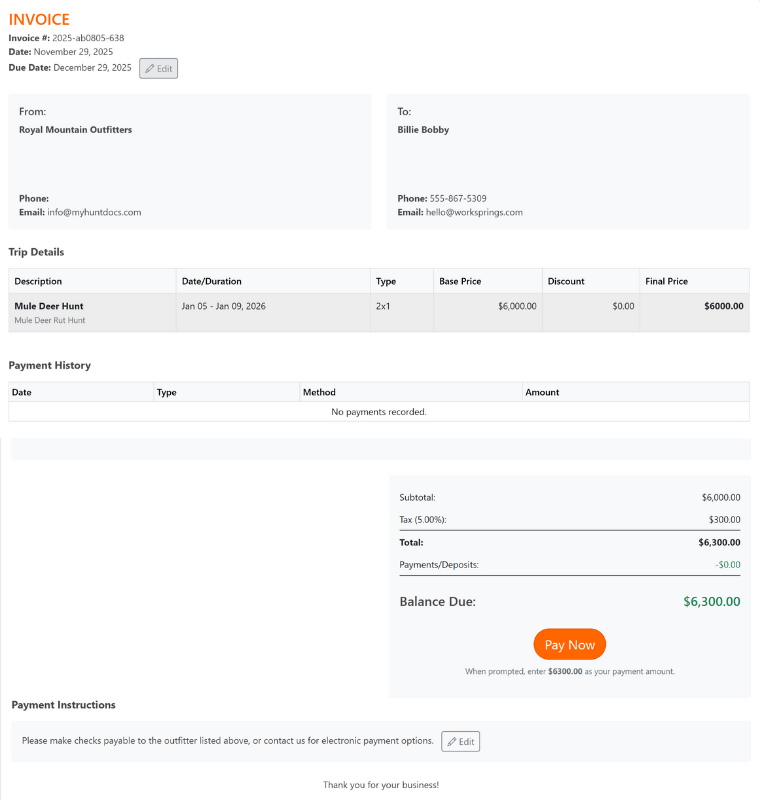
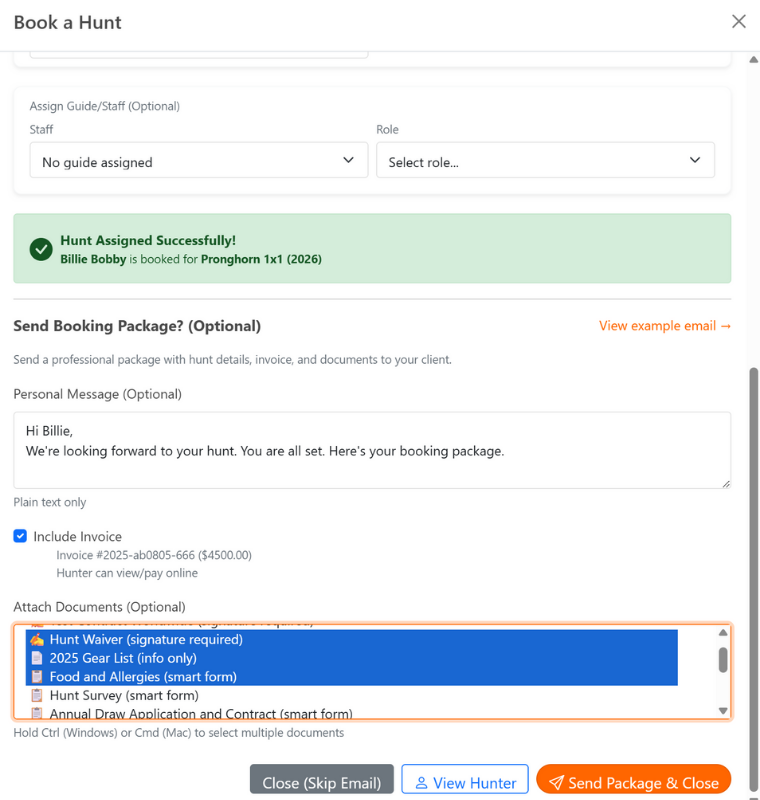
Send with your booking package or as a single email.
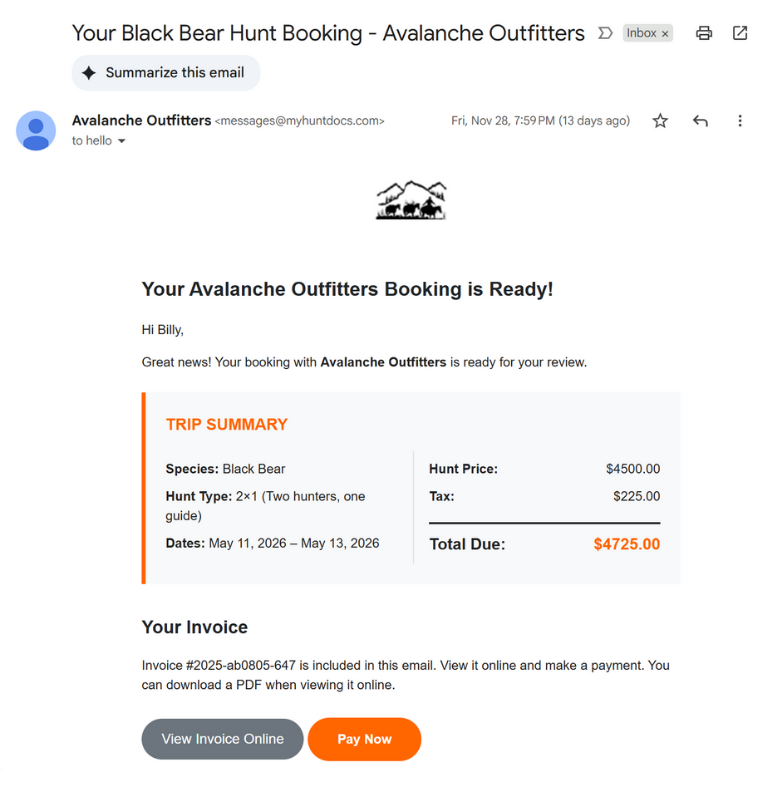
Clients click "Pay Now" and you get paid via Stripe.
Stop Chasing Payments
Most hunting outfitters cobble together invoices in Word or Excel, email them as attachments, then wait for checks to arrive. You end up with scattered files, no payment tracking, and hours spent on the phone chasing deposits.
HuntDocs handles the entire billing cycle. Invoices are created when you book hunts, sent with your booking package, and include a "Pay Now" button for instant online payment. Every transaction is tracked, and your books stay in sync with QuickBooks automatically.
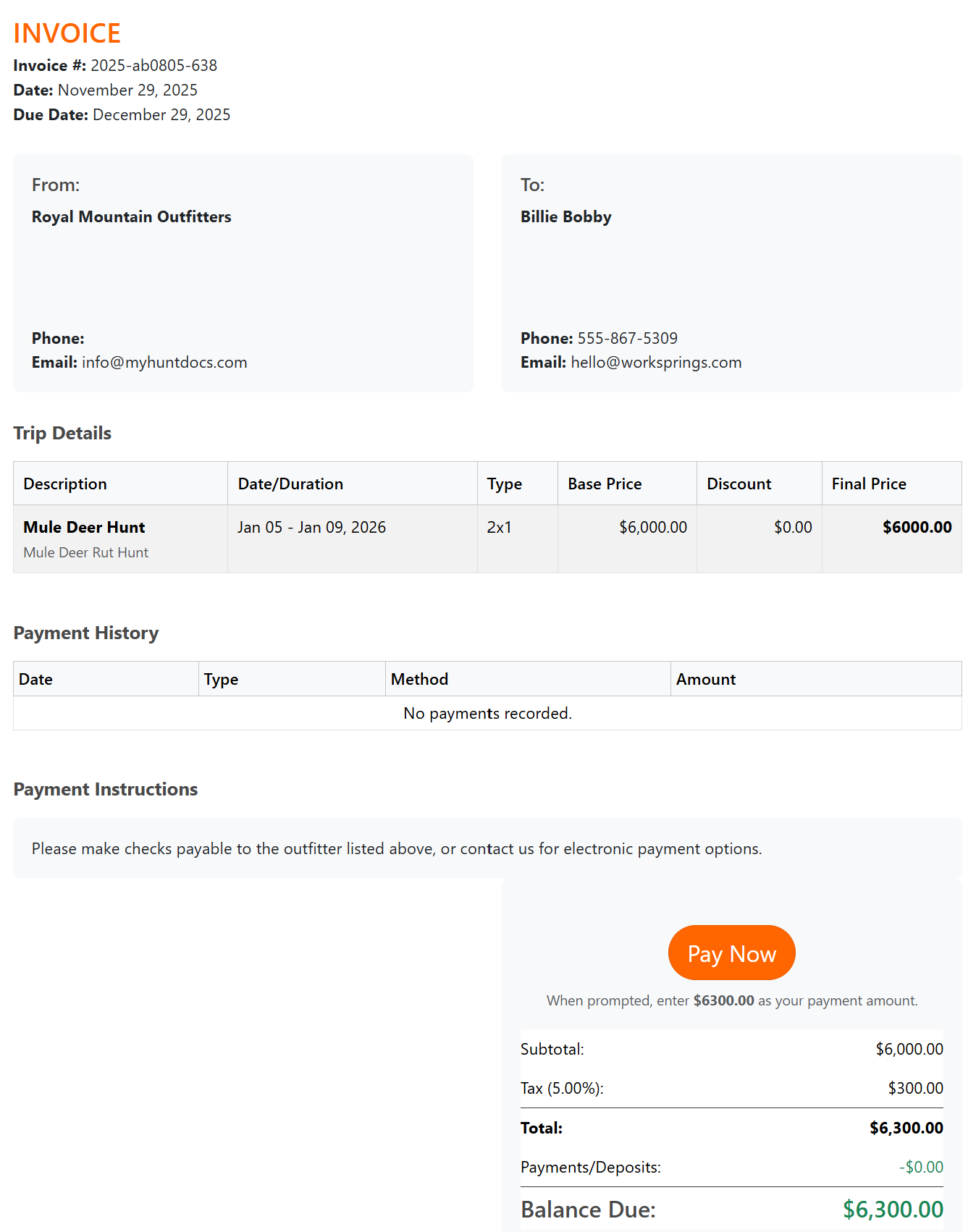 Screenshot: Invoice Detail
Everything You Need to Bill Clients
Professional invoicing built for the way hunting outfitters actually work.
Hunt-Specific Line Items
Every invoice shows the hunt, dates, type (1x1, 2x1, drop camp), and pricing — all pulled from the booking.
Additional Services
Add guests, observers, extra trip days, trophy fees, or any custom service with a few clicks.
Discounts & Taxes
Apply flat discounts to any hunt. Taxes calculate automatically based on your settings.
Group Invoicing
Send one invoice to the group leader or create individual invoices for each person in the party.
Custom Terms & Notes
Add payment terms, special instructions, or personal notes to any invoice.
Download & Print
Send digitally or download a professional PDF to print and mail. Your choice.
Request Deposits in Seconds
Request a specific dollar amount or a percentage of the trip balance — your call.
Attach deposits to specific trips so balances update automatically when payments come in.
Record manual payments for clients who prefer to pay offline. Everything stays in one place.
Add a note to the deposit request email — a personal touch that clients appreciate.
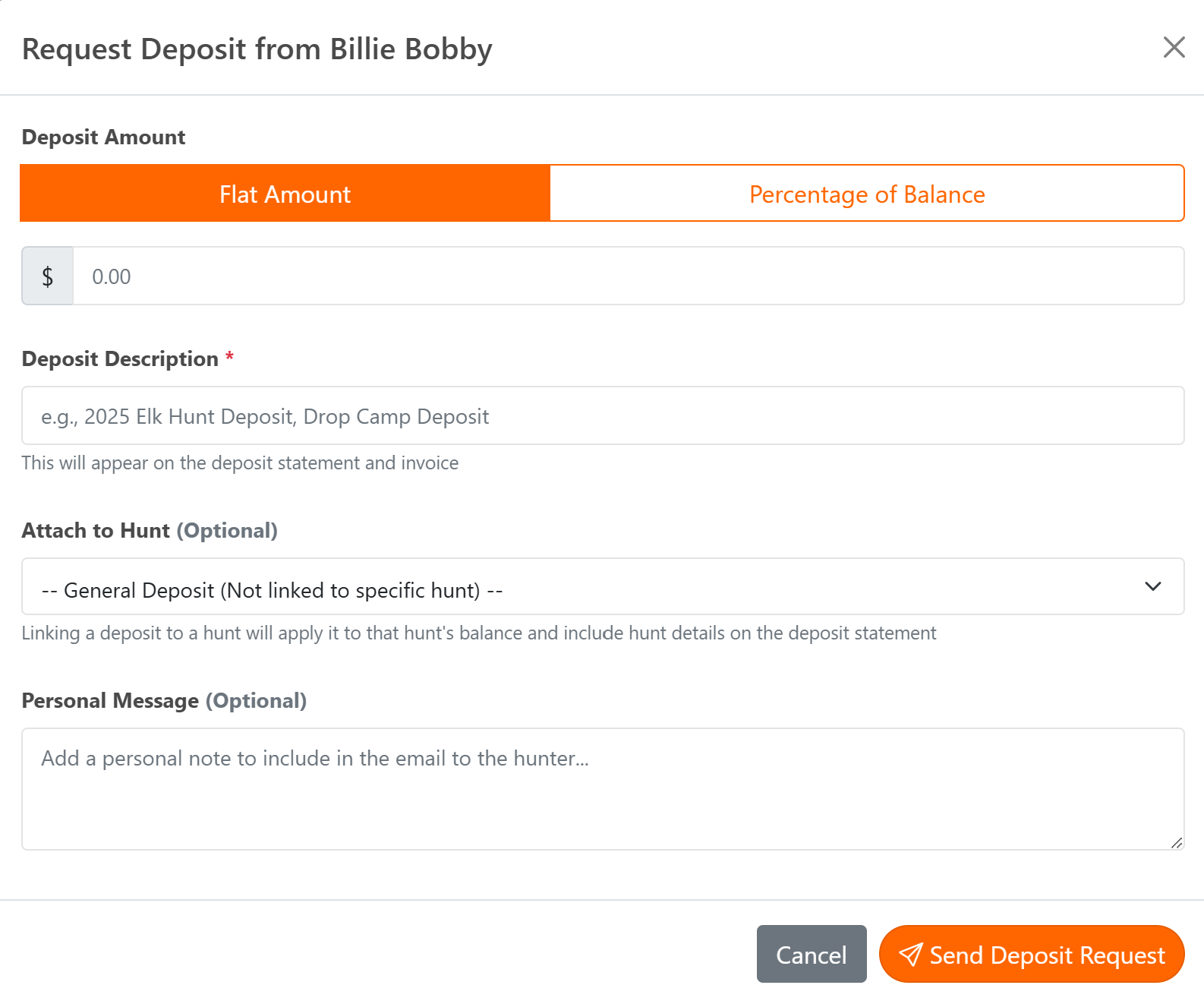 Screenshot: Request Deposit Modal
Easy for Your Clients
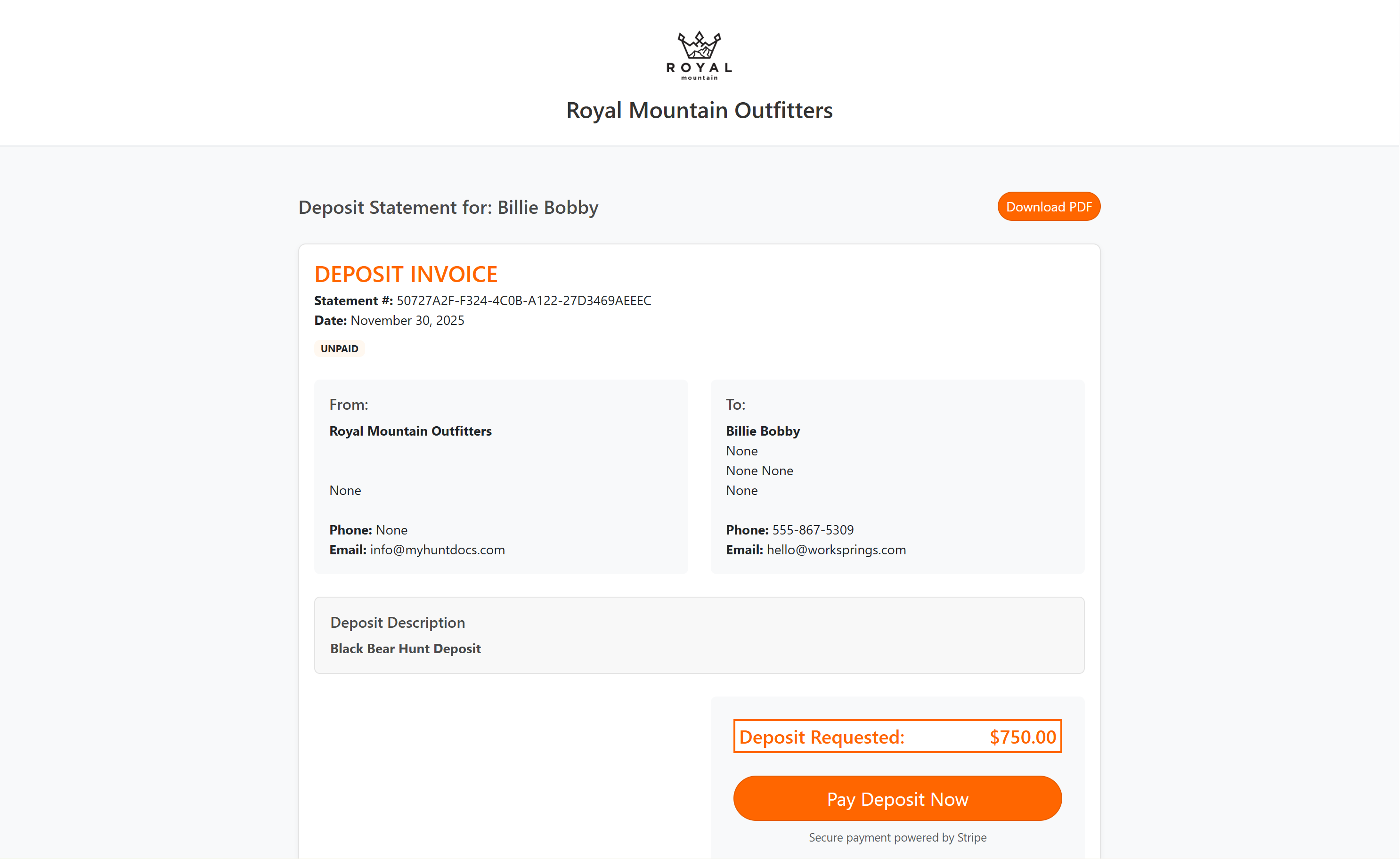
Clients click "Pay Now" and pay instantly. No passwords, no sign-ups.
Invoice, trip summary, waivers, and SmartForms — all bundled in one professional booking package.
Clients can view invoices online and download PDFs for their records.
Powered by Stripe — the same payment platform used by millions of businesses worldwide.
Invoice Any Type of Hunt
From guided big game hunts to drop camps and pack trips — HuntDocs handles it all.
Connected to Your Workflow
HuntDocs integrates with the tools you already use.
Stripe Payments
Accept credit cards, debit cards, and ACH payments. Clients click "Pay Now" and funds deposit directly to your account. You see full payment details in your HuntDocs dashboard.
QuickBooks Sync
Invoices, payments, and deposits sync to QuickBooks automatically — or manually if you prefer. No more double entry, and your accountant will thank you.
Frequently Asked Questions
Ready to Get Paid Faster?
Join hunting outfitters who are spending less time on invoices and more time in the field.
Get Started